Read in Other Languages
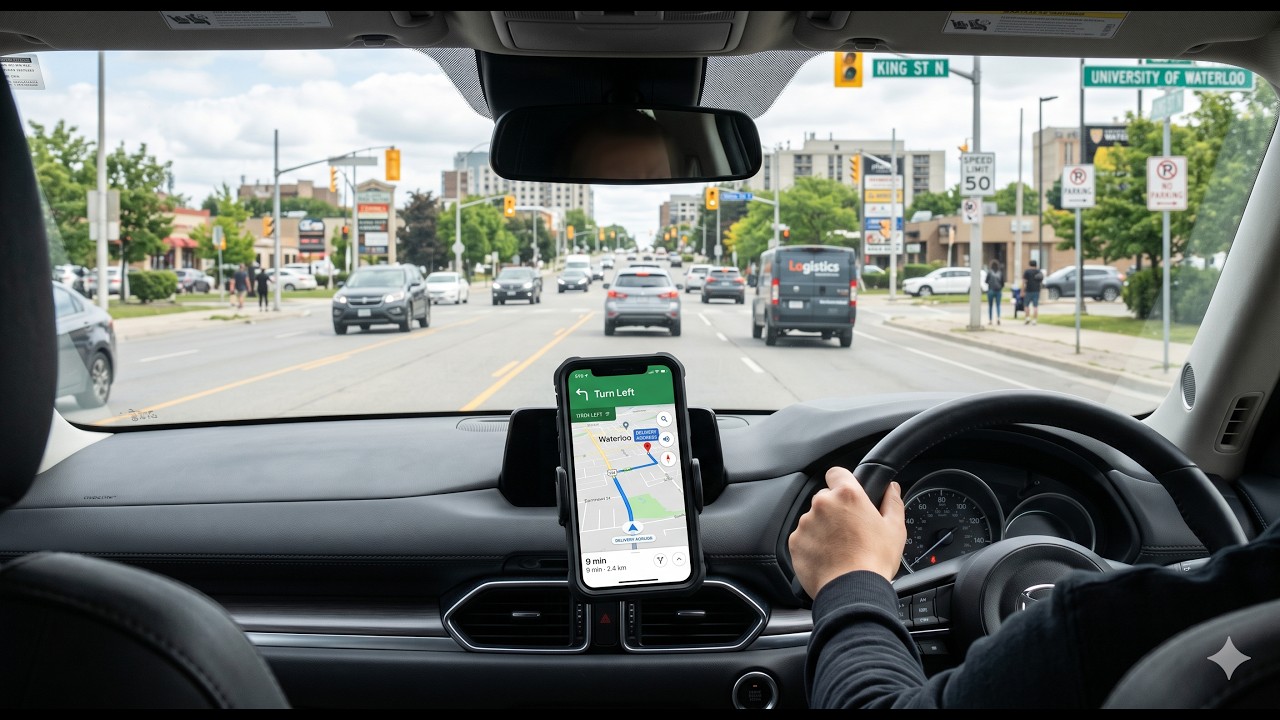
It started early in the morning at Waterloo Kitchen — coffee in hand, dashcam powered up, and a full day of driving ahead. The plan was simple: follow the demand, trust the algorithm, and let the road decide. What unfolded was a marathon shift that carried me from Waterloo all the way into the heart of Toronto, weaving through the city's endless surge zones, traffic lights, and the unpredictable rhythm of rideshare life. By mid-morning, the rides were stacking up — short hops, long hauls, and everything in between.
⚙️ Behind the Stream — Hardware & Software
Hardware
The entire stream runs from a laptop mounted inside the car — an Intel Core i5-6300U with
8 GB RAM. Not a powerhouse by any measure, but enough when configured correctly.
The dashcam is an Akaso4, connected via USB and captured directly into OBS
as a device source. No external capture card needed.
Streaming Software
OBS Studio 32.1.2 handles everything: scene switching, audio mixing,
overlay rendering, and the YouTube RTMP stream. To keep the CPU load low on this older
machine, the stream encoder uses Intel Quick Sync (QSV) — hardware-accelerated
encoding that offloads the heavy lifting from the CPU to the integrated GPU. Output:
720p at 30fps, 2500 kbps video, 160 kbps audio.
Scene System
OBS is organized into 8 scenes: an opening intro video, a main road view, a passenger
privacy scene (switches automatically when a rider is inside), a break scene, and a closing
screen. An always-on _Overlay scene injects the ride log, daily earnings panel,
scrolling subtitles, and watermark into every scene automatically via OBS nested sources.
Toronto did what Toronto always does: it pulled me in deeper. Thirteen rides across the city and its corridors, each one a small story — a commuter rushing to a meeting, a family heading to the airport, a stranger with a suitcase and a quiet destination. The algorithm kept pushing east, and eventually the city gave way to the highway. Before the shift was done, I found myself in Oshawa — 105 kilometres from where I started, with eight and a half hours of active driving behind me and the kind of tired that only a long, honest day of work can bring.
⚙️ Behind the Stream — Control & Privacy
Claude Code & Live Stream
This stream runs on a fully hands-free command system powered by
Claude Code — Anthropic's AI coding assistant. The driver speaks a command
via voice dictation; Claude Code interprets it and executes the corresponding call through
OBS WebSocket (port 4455) using a custom Python script. No typing,
no reaching for the keyboard. Ride data is written to a data.json file;
three HTML overlay files are regenerated automatically and refreshed inside OBS browser
sources in real time.
Hands-Free OBS Control
The driver never touches the laptop during a shift. All OBS commands — scene changes,
ride logging, subtitle updates, mic on/off — are sent via voice dictation to Claude Code,
which keeps the entire stream running without the driver taking their hands off the wheel.
Privacy
Passenger privacy is non-negotiable. The moment a rider enters the vehicle, OBS switches
to a music/break scene automatically and the microphone is muted. No passenger face, voice,
pickup address, or drop-off address ever appears on stream. Only the distance and fare are
logged — after the ride ends.
By the end of the shift: 13 rides, approximately $196 earned, and over 250 kilometres covered across three cities. The live stream ran the entire time — real earnings, real roads, no edits. That is the whole point of Driver and Dasher: you watch what actually happens when a driver clocks in and stays in until the shift is done. No highlight reel. Just the road, the rides, and whatever the day decides to throw at you.
This stream was produced with Claude Code (Anthropic) as the command layer between voice dictation and OBS Studio. All scene changes, ride logging, and overlay updates during the shift were executed hands-free through Claude Code and OBS WebSocket.